
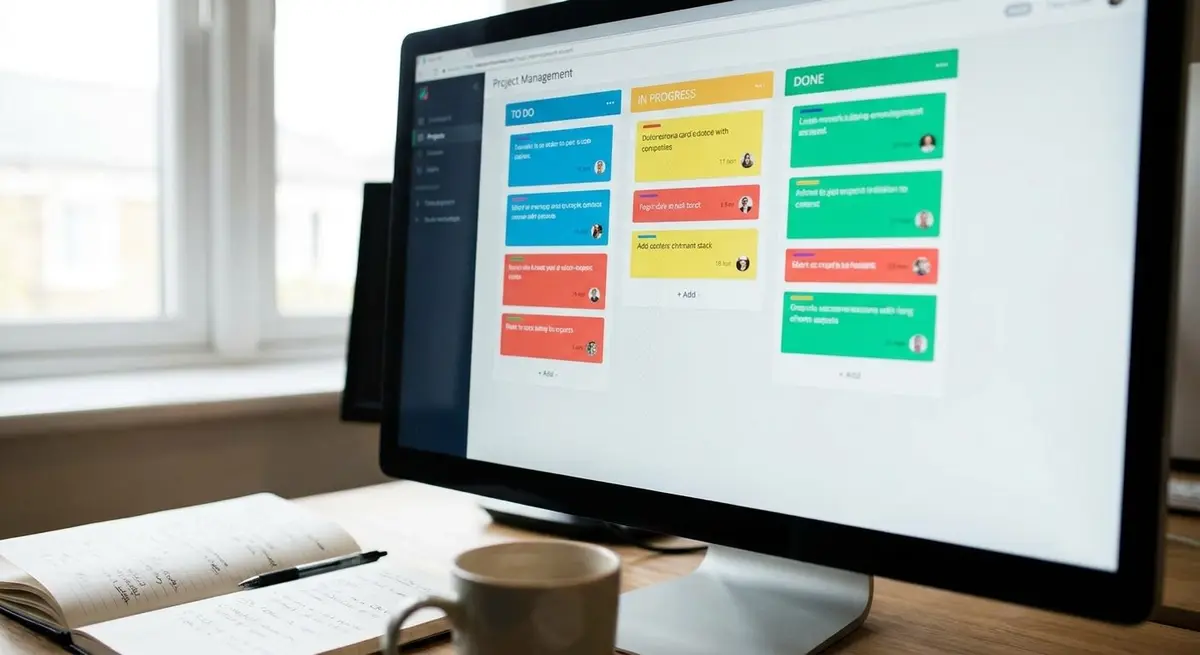
Most CRM systems present your sales pipeline as an endless scrolling list. Deals buried six screens down. Filters that hide more than they reveal. Dropdown menus to change deal stages. It's functional, but it forces your brain to work harder than it should.
The human brain excels at spatial reasoning. We remember where things are. We see patterns across horizontal space faster than we parse vertical lists. This is why physical Kanban boards—sticky notes on whiteboards—dominated sales floors for decades before software arrived.
The best digital CRMs don't abandon this spatial advantage. They enhance it.
Why Visual Pipelines Outperform List Views
When your pipeline is a Kanban board, every deal is a card. Stages are columns. Moving a deal from "Proposal Sent" to "Negotiation" is a single drag. No dropdown. No modal. No confirmation click.
This isn't just about speed—though speed matters. It's about cognitive load. Your sales team can see the entire pipeline state in one glance. Bottlenecks become obvious when the "Waiting on Approval" column has twelve cards and "Closed Won" has two. You don't need a report to tell you where deals are stalling.
Visual boards also surface urgency naturally. A deal card that hasn't moved in three weeks stands out. Color coding by deal size, source, or age creates instant visual prioritization. Your brain processes this information in parallel, not sequentially.
Form Lead Capture: The Pipeline Entry Point
A Kanban pipeline is only as good as what feeds it. The best visual CRMs integrate lead capture forms directly into the board workflow. When a prospect fills out a contact form on your website, a new card appears instantly in your "New Leads" column.
No CSV imports. No manual data entry. No leads falling through cracks because someone forgot to check an email inbox.
This direct integration means your sales process starts the moment a lead expresses interest. The card contains all form data—name, company, project details, budget range—already structured and ready for follow-up. Your team sees it immediately, assigns it, and begins outreach while the lead is still warm.
Automation Rules: The Invisible Sales Assistant
Manual pipeline management creates friction. Someone has to remember to follow up. Someone has to assign new leads. Someone has to flag deals that have gone cold.
Automation rules eliminate this friction. When a card enters a specific column, actions trigger automatically:
- New lead arrives → auto-assign to next available sales rep based on round-robin or territory
- Deal moves to "Proposal Sent" → schedule automatic follow-up reminder in 3 days
- Card sits in "Negotiation" for 14 days → notify manager, flag for intervention
- Deal reaches "Closed Won" → trigger invoice generation, update inventory allocation
These rules run silently in the background. Your team focuses on conversations and closing, not administrative housekeeping. The system handles routing, reminders, and escalations.
Quotes and Invoices on Cards: Context Without Context-Switching
Traditional CRMs separate deal tracking from financial documents. You manage the pipeline in one tool, generate quotes in another, send invoices from a third. Every transition requires context-switching, copy-pasting data, and reconciling records.
When quotes and invoices live directly on deal cards, the entire customer journey stays unified. Click a card, generate a quote using the deal details already captured. Send it. Track when the customer opens it. When they accept, convert that quote to an invoice with one click—same card, same context.
This eliminates data re-entry errors. It keeps your team in flow. And it means every financial document is automatically linked to its source deal, creating a complete audit trail without manual filing.
Team Collaboration in Shared Visual Space
Sales isn't a solo sport. Deals involve multiple people—sales reps, account managers, production leads, finance. When your pipeline is a shared visual board, collaboration becomes natural.
Team members can comment directly on cards. Tag colleagues. Attach files. Update deal values. Everyone sees changes in real-time. No email chains. No "Who has the latest version?" confusion.
Managers can coach by simply looking at the board. They see which reps have too many deals in early stages and none closing. They spot patterns—certain lead sources convert faster, certain industries stall at specific stages. Visual boards make pipeline health transparent.
Building Pipelines That Match How You Think
The best CRM isn't the one with the most features. It's the one that disappears into your workflow. Visual Kanban boards work because they align with spatial cognition. Form lead capture works because it eliminates manual data bridges. Automation rules work because they handle repetition without human error. On-card quotes and invoices work because they preserve context.
If your current CRM feels like fighting uphill, the problem might not be your process. It might be that your tools are forcing linear thinking onto a spatial problem.
JellyMachine's Jelly Boards bring visual Kanban pipelines, integrated form capture, automation rules, and financial documents into one unified system. No plugins. No integrations. Just a CRM designed around how sales teams actually work. Explore how visual pipeline management can accelerate your sales cycle at jellymachine.com.